
七表 / 十表接线7 / 10 meter wiring
电路板接线图对应七表、十表结构;改线前断电,并对照现场板型。
Use the board wiring PDF for 7/10-meter layouts. Power off before changes and match the board on site.
PLT Support
电路板接线图、手动微调参数视频、防爆灯功率补充图与系列说明书。常见问题 Word 源仍在工作库,导出稳定 PDF 后再挂下载。
Board wiring PDF, fine-tune video, power-boost figure and series manuals. FAQ Word source remains in the work library until a stable PDF is ready.
Downloads
以下为当前对外有效说明书与售后定稿。发客户时请从本页或成品库取用。
Current manuals and finished support PDFs. Use these when sending files to customers.
Notes
电路板接线图对应七表、十表结构;改线前断电,并对照现场板型。
Use the board wiring PDF for 7/10-meter layouts. Power off before changes and match the board on site.
新版手动微调参数见下方视频;改参后请做功能复测。
See the fine-tune video below; re-test functions after changes.
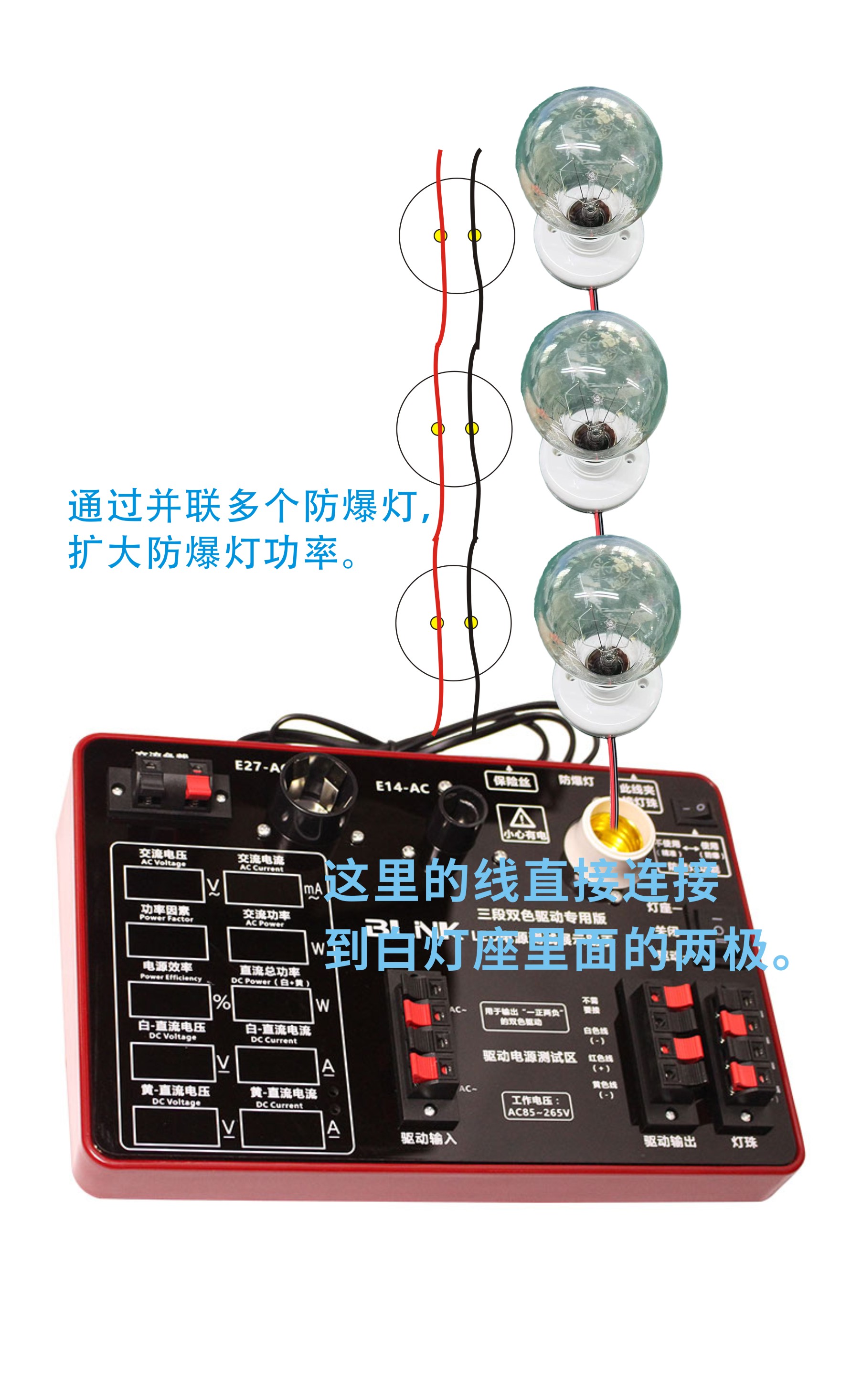
Power boost
手动增加防爆灯功率的对照图(补充说明,细节以说明书与现场铭牌为准)。
Reference figure for manually boosting explosion-proof lamp power. Follow the manual and nameplate for details.
01
新版手动微调参数操作演示。
Manual fine-tune walkthrough (new version).
下载视频 / Download文字操作说明
面板小孔按键上键 ↑下键 ↓
RMS 参考示波器有效值;AVG 参考万用表平均值。基准仪表支持多种测量方式时,以其当前设置为准。
可选参数 RMS/AVG · AC V · AC I · DC1 V · DC1 I · DC2 V · DC2 I
Text instructions
Recessed panel keysUP ↑DOWN ↓
RMS references an oscilloscope RMS reading; AVG references a multimeter average reading. Match the active mode of the reference instrument.
Items RMS/AVG · AC V · AC I · DC1 V · DC1 I · DC2 V · DC2 I
Product
查看产品能力说明、参数与现场图片。
See product capabilities, specs and photos.
打开 PLT 测试架 产品页 Open product page