
自动最大电流(默认)Auto max current (default)
输出电流自动到该档位最大值;电流表切换过程中会显示 “Hi”。
Current auto-goes to the step maximum; the meter shows “Hi” when switching into this mode.
CB250 Support
集中整理电流模式切换(Hi/Lo)图文步骤、漏电检测、声音提示判读与常见问题。按说明书操作,可减少维修台反复试错。
HI/LO current-mode photo steps, leakage check, audio cues and FAQs in one place — aligned with the shipped manual.
Modes
输出电流自动到该档位最大值;电流表切换过程中会显示 “Hi”。
Current auto-goes to the step maximum; the meter shows “Hi” when switching into this mode.
电流随电位器变化;电流表切换过程中会显示 “Lo”。
Current follows the potentiometer; the meter shows “Lo” when switching into this mode.
01
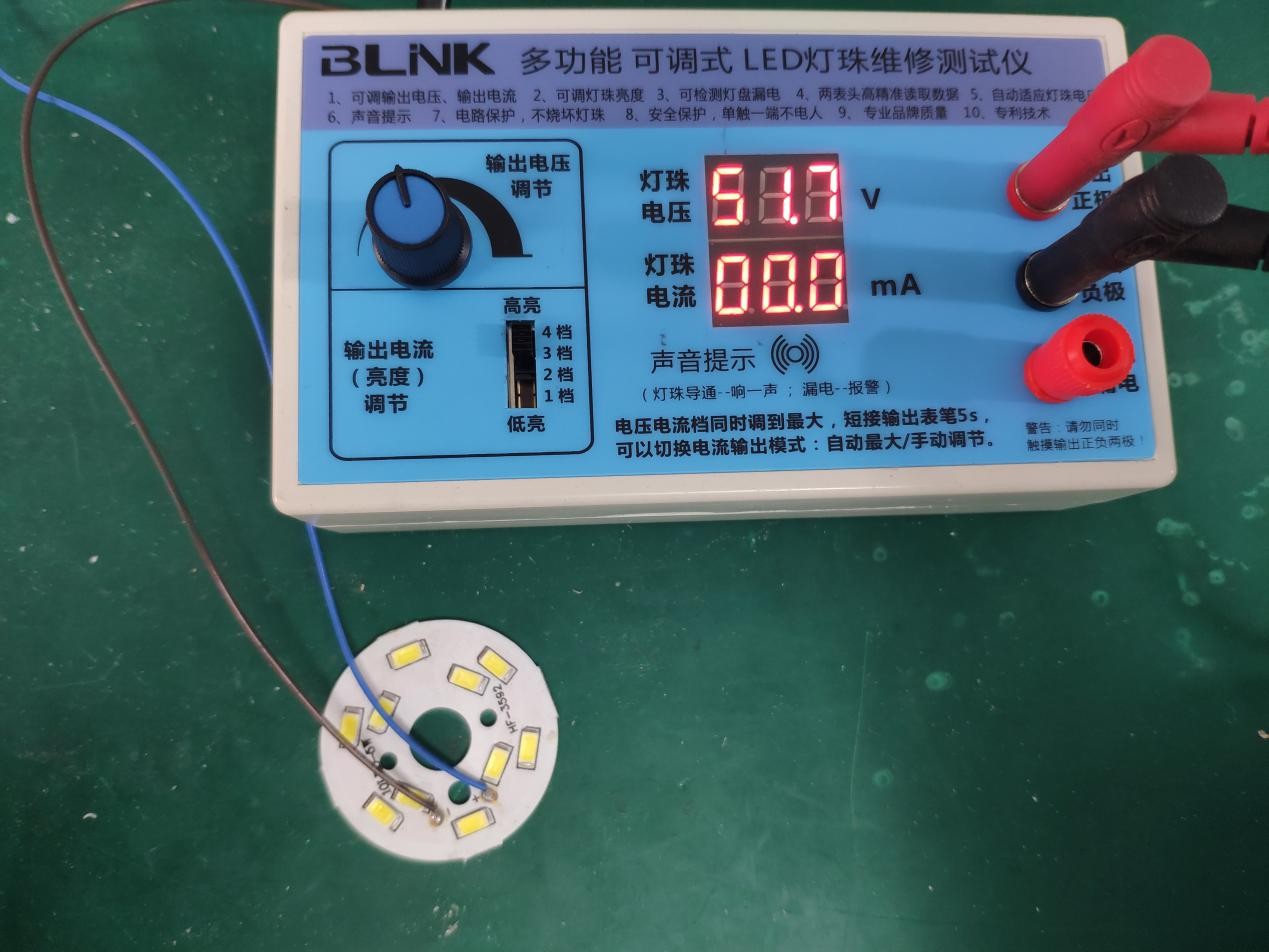
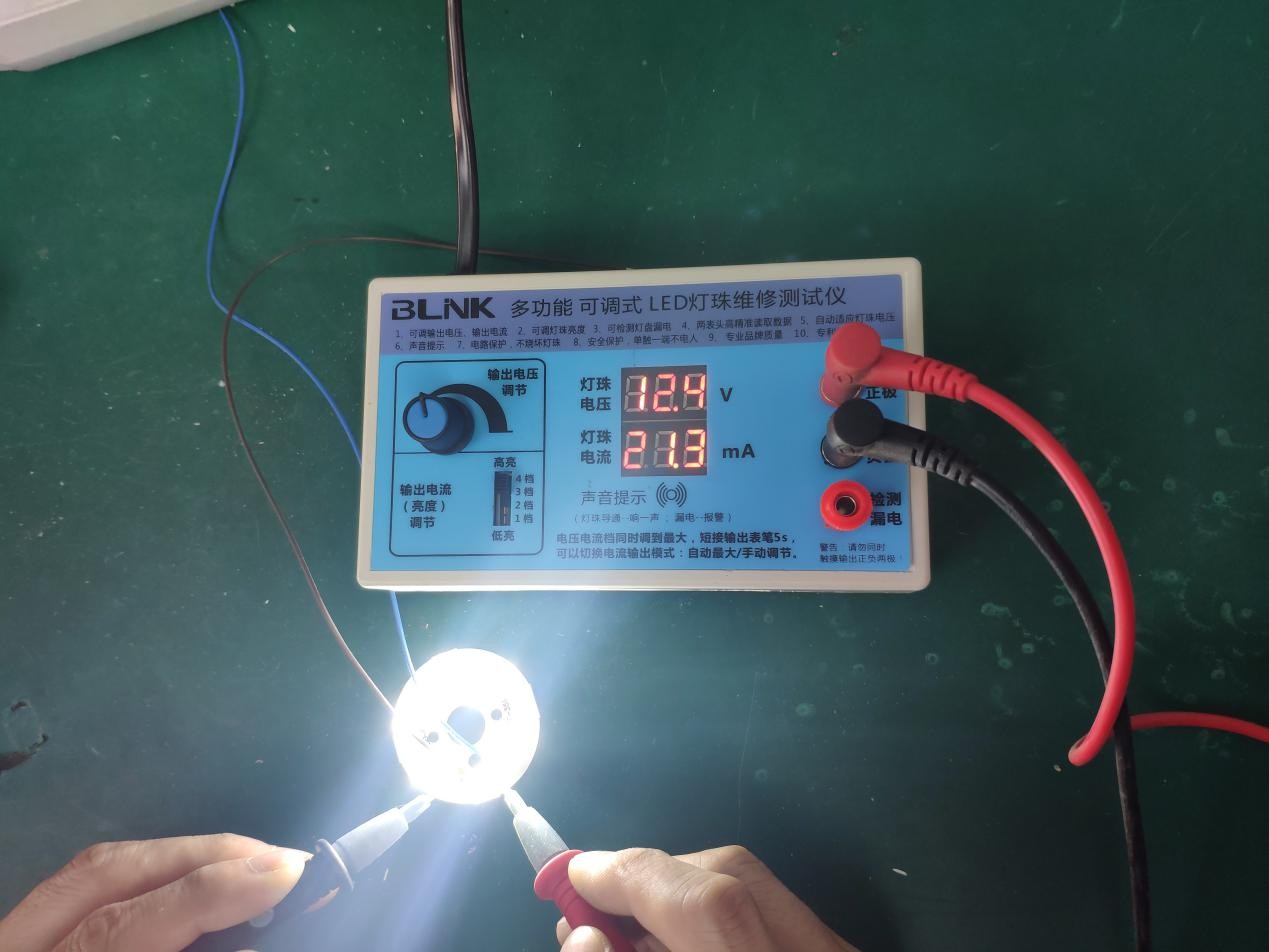
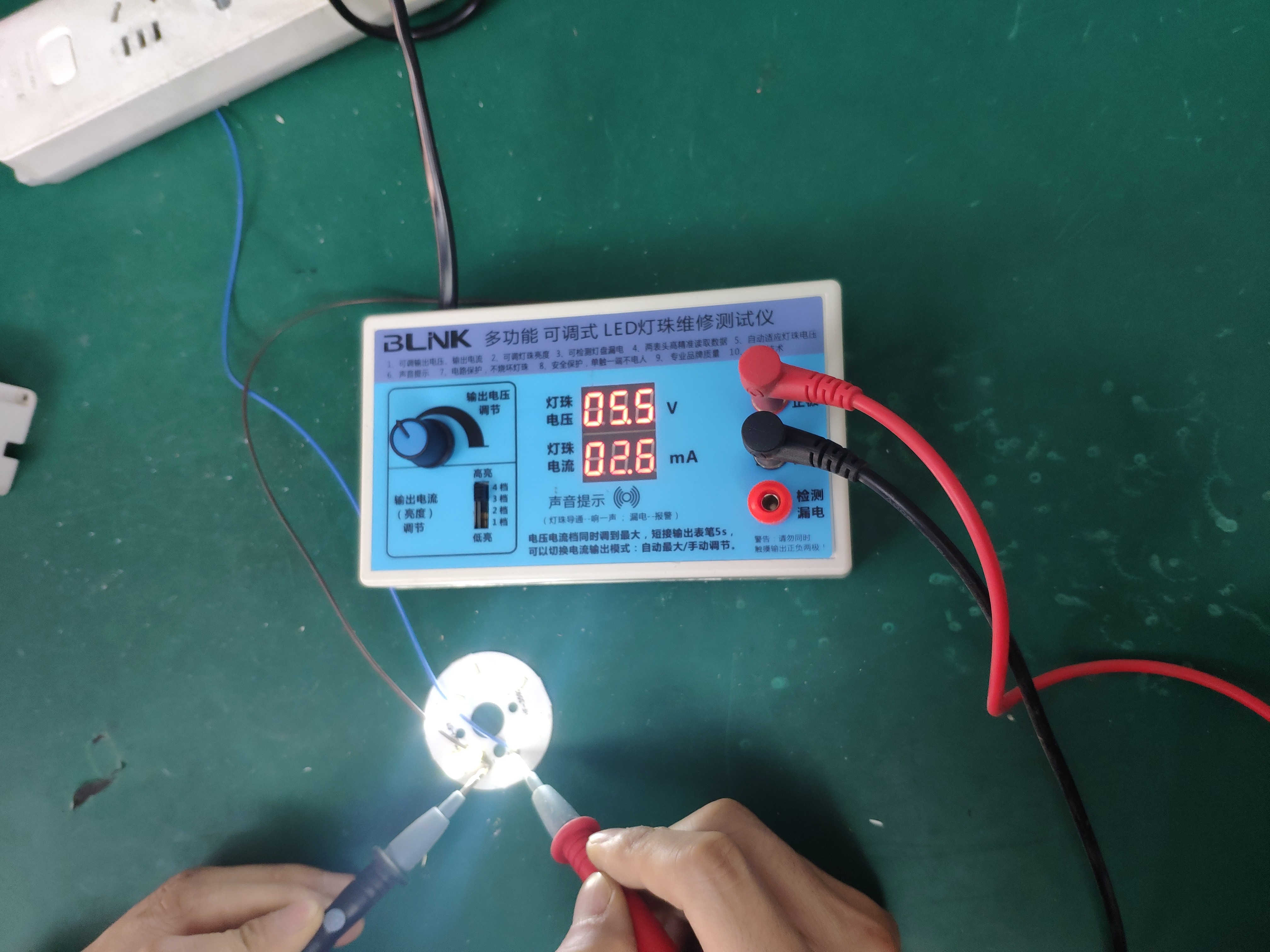
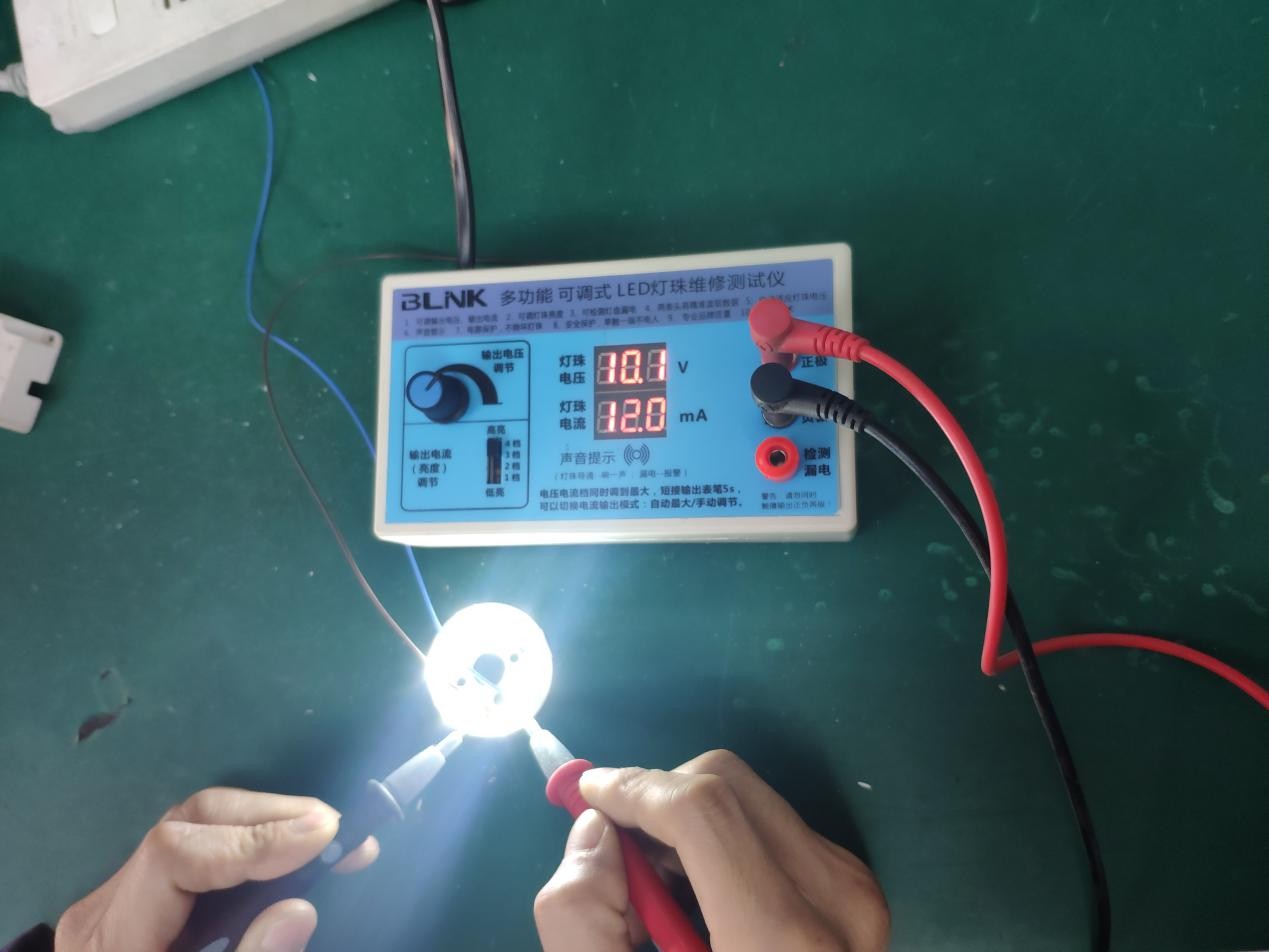
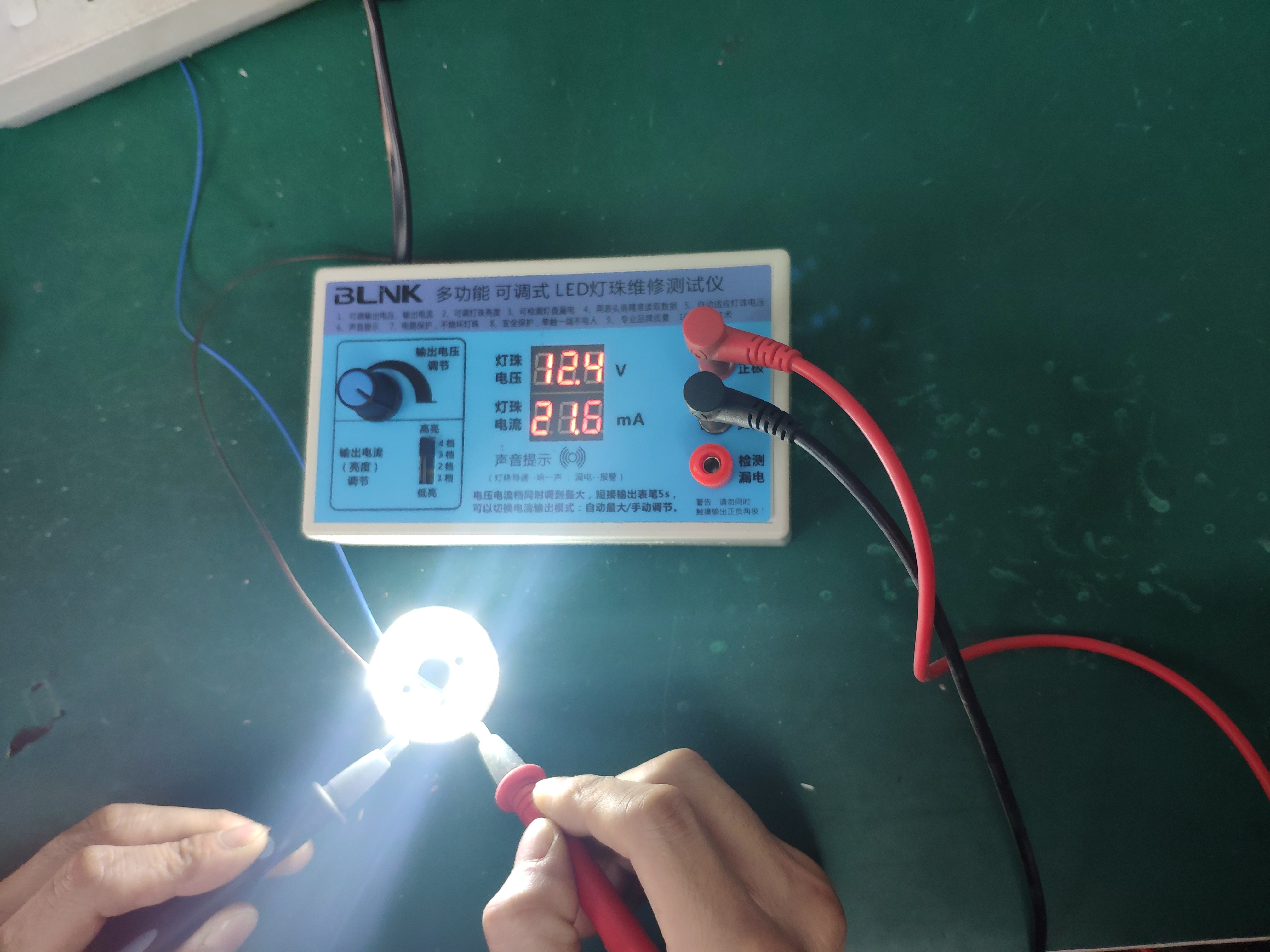
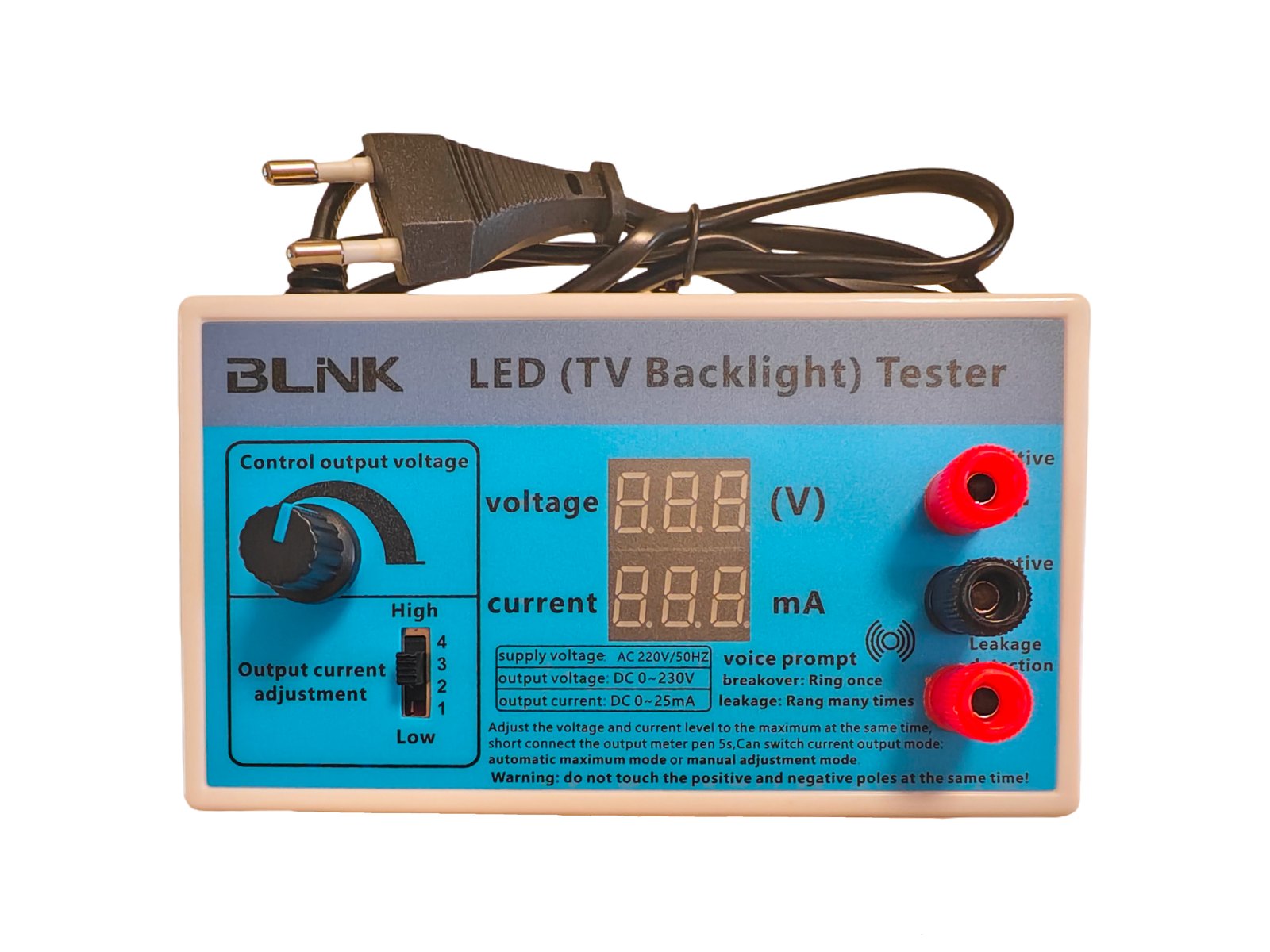
默认模式下,是自动最大电流模式。该模式下,输出电流会自动输出到该档位的最大值。如下图 1、2:在空载电压约 51.7V 时点亮灯珠,输出电流自动控制到最大约为 21.3mA。
Default is auto max-current mode: output current rises to the maximum of the selected step. As in photos 1–2: with about 51.7V open-circuit, lighting a bead auto-limits near 21.3mA.
02
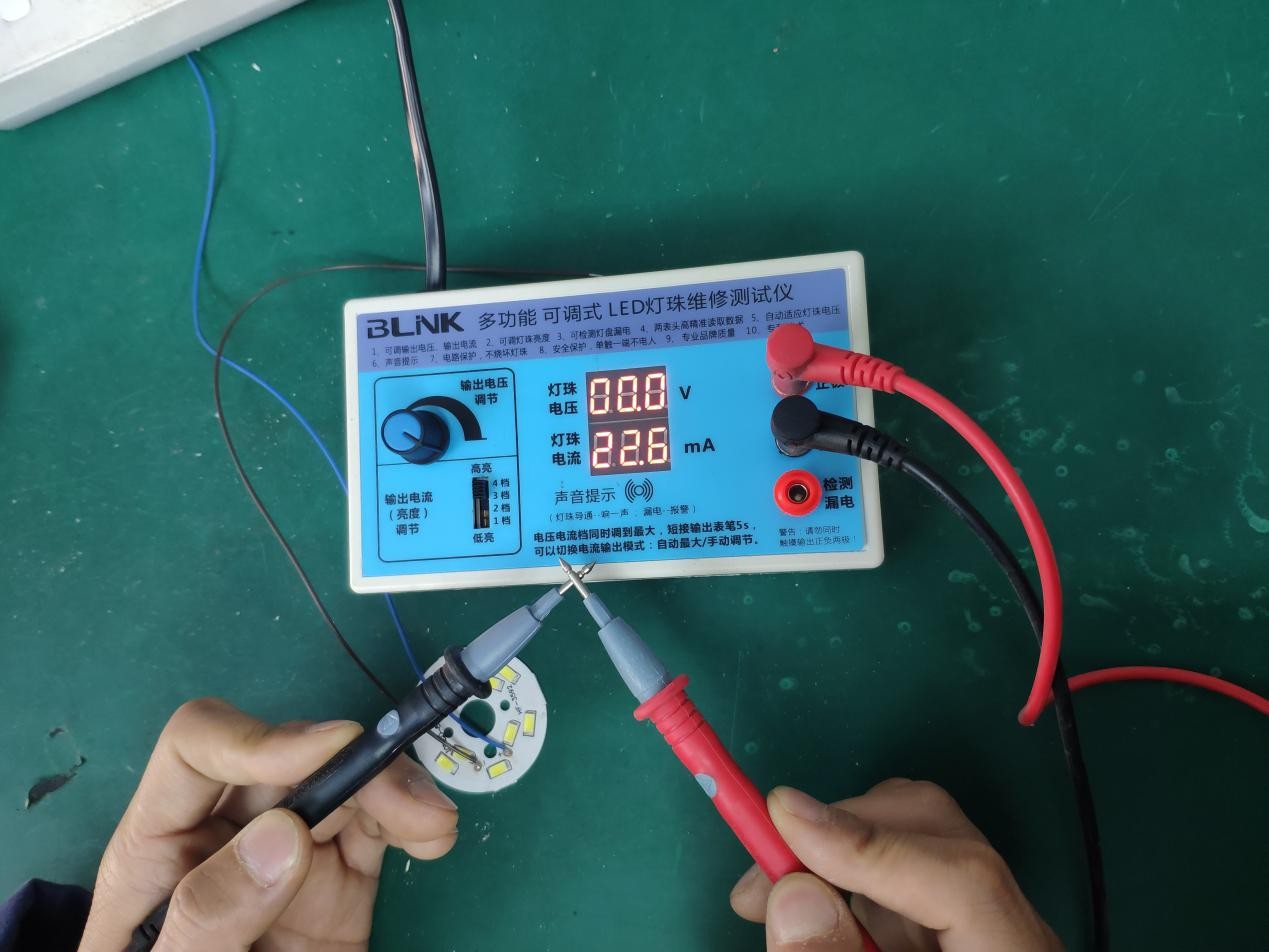
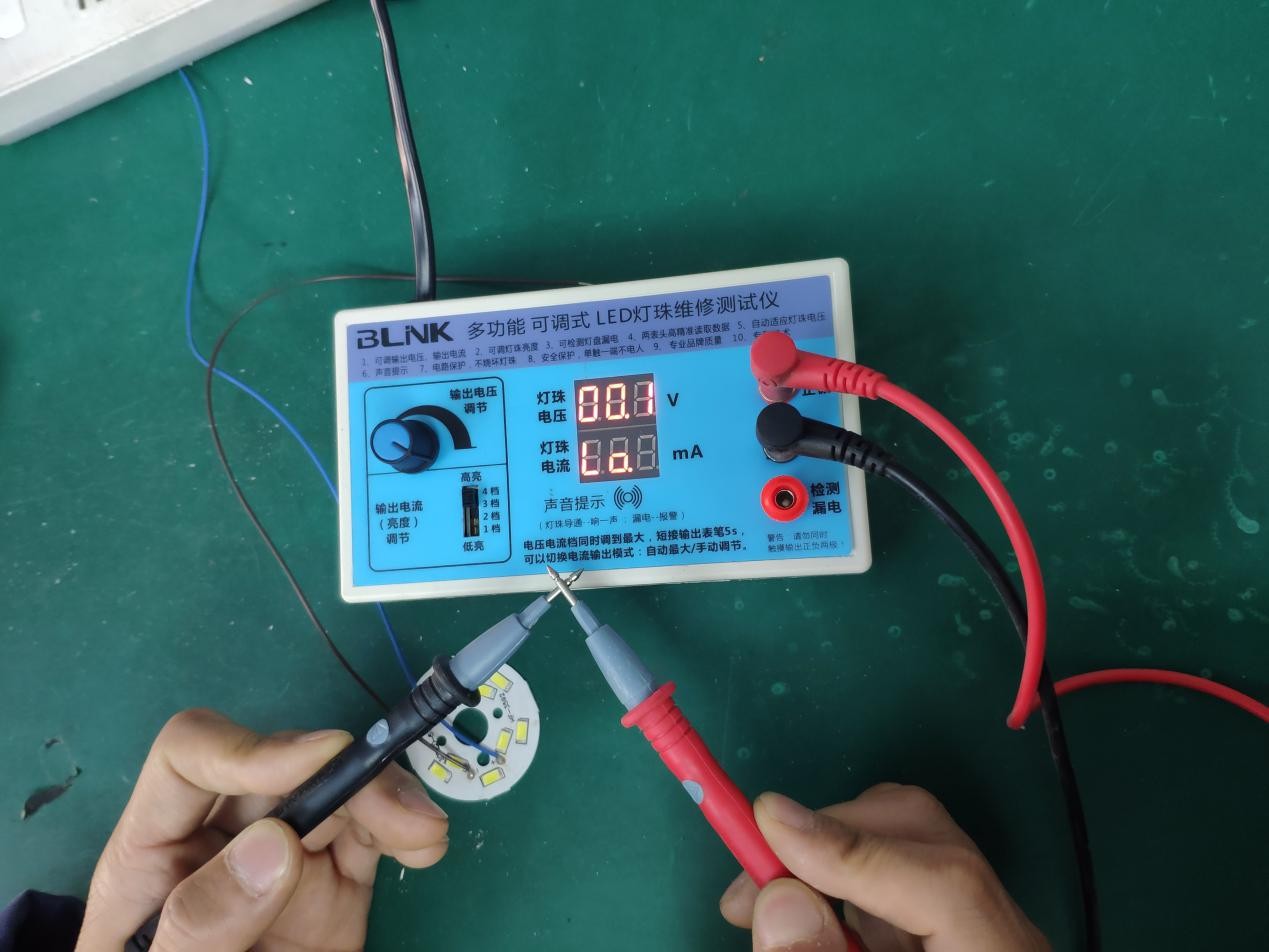
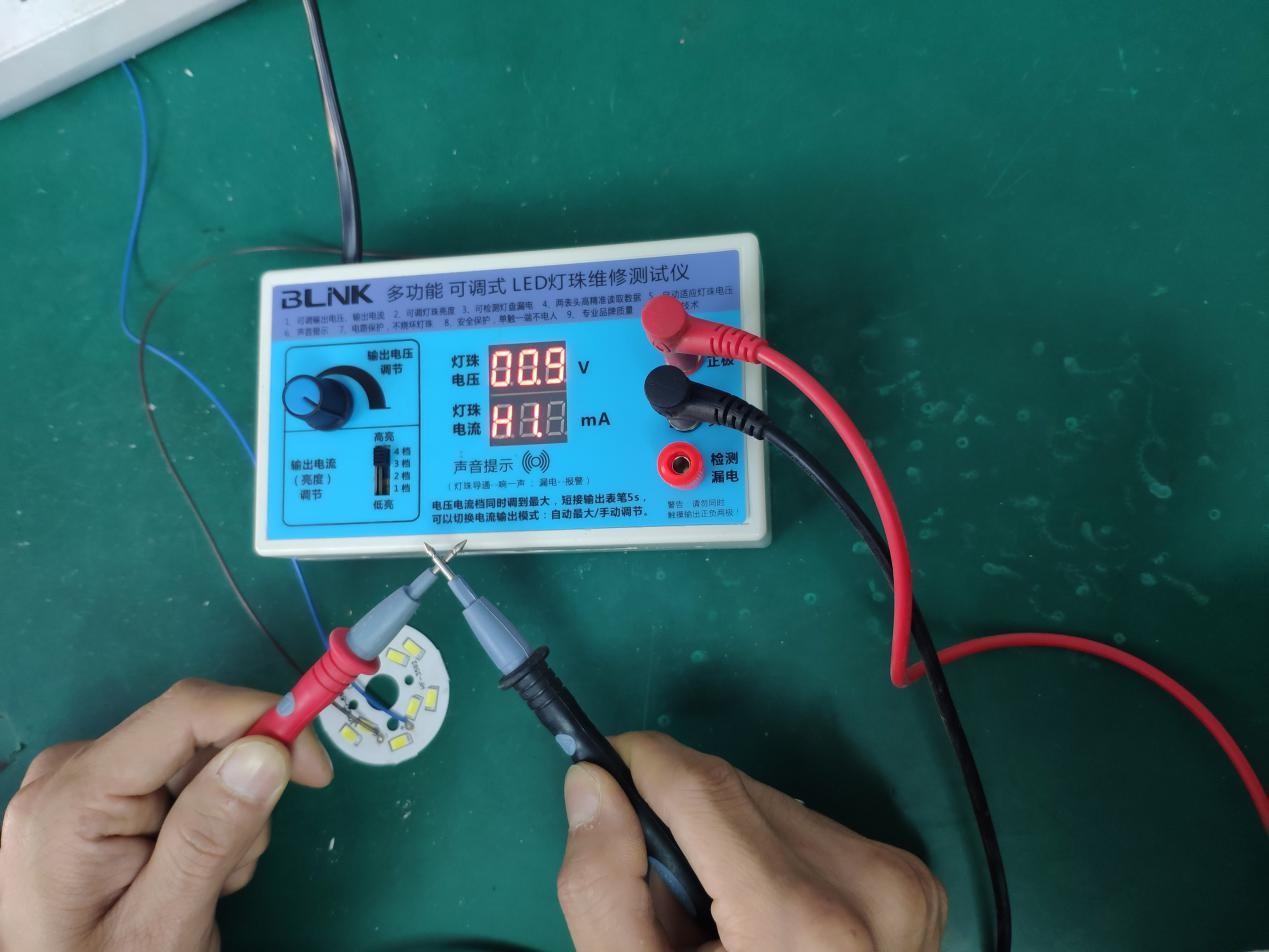
切换输出电流模式:把输出电压调到最大,输出电流档调到第 4 档,此时短接表笔;同时等待约 5 秒,等待显示 “Lo” 字符时,即切换到了输出电流手动调节模式。短接时只握表笔绝缘柄,勿用手碰金属针尖。
To switch modes: set output voltage to max and current to step 4, then short the probes; wait about 5 seconds until “Lo” appears — that is manual current mode. Hold only the insulated grips; do not touch the metal tips.
03
此时处于手动调节电流模式,输出电流会随着电位器变化而变化。如下图:在相同档位下,输出电流跟随电位器而变化。
You are now in manual current mode: output current changes with the potentiometer. On the same current step, current follows the pot as shown below.
04
同样地,切换输出电流模式:把输出电压调到最大,输出电流档调到第 4 档,短接表笔,同时等待约 5 秒;等待显示 “Hi” 字符时,即切换回自动输出电流模式。同样只握绝缘柄,勿碰金属针尖。
Likewise: voltage max + current step 4 + short the probes for about 5 seconds; when “Hi” appears, auto max-current mode is restored. Again, hold only insulated grips.
Leakage
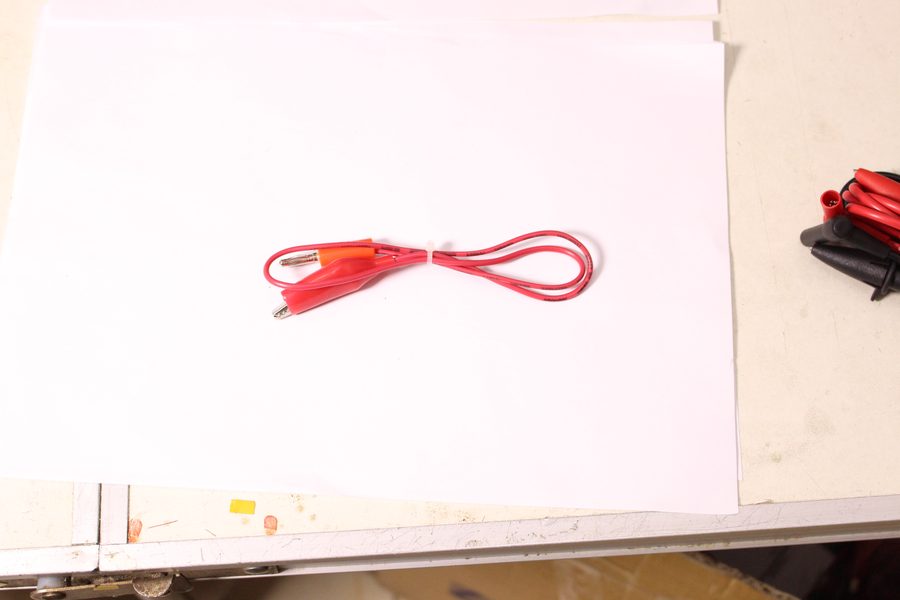
用于判断灯板、灯箱或成品灯是否存在漏电隐患。请使用「检测漏电」端的鳄鱼夹,夹在灯盘金属处,再按正常方式点亮灯珠。
Use this to check panels, boxes or finished lamps for leakage risk. Clip the leakage lead to panel metal, then light the bead as usual.
把红色漏电检测线插入「检测漏电」孔,鳄鱼夹夹住灯盘金属部位(外壳/散热铝等可靠金属处)。
Plug the red leakage lead into the leakage jack and clip onto solid panel metal (chassis / heatsink, etc.).
用红黑表笔触碰灯珠或灯条两端,按平时方法调节电压/电流并点亮。
Touch the bead or strip ends with the red/black probes and light it as in normal testing.
一声「Bi~」:基本正常。连续报警「Bi Bi Bi」:存在漏电隐患,应用排除法分段排查定位。
One “Bi~”: generally OK. Alarm “Bi Bi Bi”: leakage risk — locate it by elimination / sectioning.
Audio
灯珠导通正常。可减少盯屏,提高台面检测效率。
Bead conduction is OK — less need to stare at the board.
灯珠可能异常(开路/损坏等),建议复测或与好灯对比。
Bead may be faulty (open/damaged). Retest or compare with a known-good unit.
灯盘存在漏电隐患。配合漏电夹,用排除法尽快定位。
Panel leakage risk. Use the leakage clip and locate by elimination promptly.
Safety
本机内置为电容隔离:主要作用是限制输出侧可流过的电流,降低误触时的严重程度。它不能消除触电风险,表笔上仍可能有高压,请务必按下列要求操作。
CB250 uses capacitive isolation: it limits available current and can reduce severity on accidental contact. It does not make the probes touch-safe — high voltage may still be present.
双手跨接输出两端会形成完整人体回路,存在明确触电风险。面板警告必须遵守。
Touching both output poles completes a body path and creates a clear shock risk. Obey the panel warning.
赤脚、湿手、水泥地或金属台面等接地良好时,即使只碰一支表笔金属部分,仍可能经地构成回路,存在触电风险。
Barefoot, wet hands, concrete or metal benches improve earth return — touching even one probe tip can still shock.
只握表笔绝缘柄。切换 Hi/Lo 时允许表笔金属头对金属头短接,但手不要碰针尖;保持干燥、站在绝缘良好的地面操作。
Hold insulated grips only. Tip-to-tip shorting for Hi/Lo is allowed, but keep fingers off the metal tips; work dry on a well-insulated floor.
FAQ
不是。电容隔离只限制电流,不能消除触电危险。赤脚碰表笔,或双手分别摸正负极,仍有触电风险。详见上方「安全注意」。
No. Capacitive isolation only limits current; it is not touch-safe. Barefoot contact or touching both poles can still shock. See Safety above.
请确认电压已旋到最大、电流档在第 4 档,并持续短接约满 5 秒。显示字符出现后再松开表笔。短接时只握绝缘柄。
Confirm voltage is at max, current switch on step 4, and keep the probes shorted for a full ~5 seconds. Hold insulated grips only.
Hi(出厂默认)适合快速点亮大功率灯珠;Lo 适合长时间维修,可把亮度调到微亮以减轻刺眼。
Hi (factory default) suits quick high-power lighting; Lo suits long repair sessions with micro-bright output.
保持漏电夹夹在金属处,用排除法分段:先缩小灯条/灯板区域,再逐段点测,听到报警的一段即为嫌疑区。
Keep the clip on metal and section by elimination: narrow the strip/board area, then probe sections until the alarm zone appears.
说明书说明:同一电流档对应的实际电流会因所测灯珠/负载不同而有差异;请以表头读数为准。
Per the manual, actual current at each step varies with the bead/load — trust the meter reading.
长时间使用可能轻微发热,属正常。建议约每使用 2 小时断电休息约 5 分钟。
Mild heating in long use is normal. Power off for about 5 minutes after roughly every 2 hours.
按说明书做「表笔金属头对金属头」短接可以切模式;这与「双手摸正负极」不是一回事。切模式时手只能握绝缘柄,千万不要用手去碰两根针尖,更不要赤脚操作。
Tip-to-tip shorting per the manual is the mode-switch method — not the same as touching both poles with your hands. Hold grips only; never touch both tips, and do not work barefoot.
Downloads
可下载电流模式教程 PDF,或打开完整说明书。
Download the mode-switch PDF or the full manual.
电流模式 PDF Mode-switch PDFProduct
查看 CB250 规格、面板说明、多视角图片与选型对照。
See CB250 specs, panel guide, gallery and model comparison.
打开 CB250 产品页 Open CB250 page